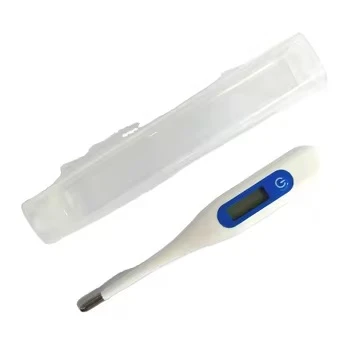

Sharing temperature data from a handheld digital thermometer can be a game - changer, whether you're using it for personal health monitoring, in a professional medical setting, or for any other temperature - related applications. As a supplier of handheld digital thermometers, I'm here to walk you through the steps and options to share that crucial temperature data effectively.
Understanding Your Handheld Digital Thermometer
First things first, you need to understand the type of handheld digital thermometer you have. We offer a wide range of thermometers, each with its own unique features. For instance, we have the Armpit Temperature Thermometer For Child that's specifically designed for kids. It's user - friendly and provides accurate readings, making it easier to keep track of your little one's health.
Then there's the Digital Flexible Tip Thermometer. This one's great because the flexible tip makes it more comfortable to use, especially in situations where a rigid thermometer might be a bit uncomfortable. And the Flexible Digital Thermometer Fast Reading lives up to its name, giving you quick temperature results.
If you're looking for something for home use with a bit of customization, our Electric Clinical Thermometer is a top choice. And for those who love all things smart, the Smart Digital Thermometer can connect to your devices and offer advanced data - sharing capabilities.
Methods of Sharing Temperature Data
Manual Sharing
The simplest way to share temperature data is manually. Once you've taken a temperature reading on your handheld digital thermometer, you can write it down on a piece of paper. This is a good option if you're sharing the data with someone in person, like a doctor during an in - office visit. You can also type the data into your phone's notes app and then send it via text message or email to the relevant person.
However, manual sharing has its drawbacks. It's easy to make mistakes when writing or typing the data, and it can be time - consuming, especially if you need to share a large number of readings.
Using Bluetooth Connectivity
Many of our modern handheld digital thermometers come with Bluetooth capabilities. This means you can connect the thermometer to your smartphone or tablet. Once connected, the thermometer can automatically transfer the temperature data to a dedicated app on your device.


The app then allows you to view the data in a more organized way, like in graphs or tables. You can also share the data directly from the app. For example, you can export the data as a CSV file and send it to your doctor via email. Or you can share the data on social media (if it's appropriate) or with a caregiver using messaging apps.
The advantage of Bluetooth connectivity is that it reduces the chances of human error in data entry and makes it much faster to share the data. Plus, it allows you to keep a long - term record of temperature readings in one place.
Wi - Fi Enabled Thermometers
Wi - Fi enabled handheld digital thermometers take data sharing to the next level. These thermometers can connect directly to your home or office Wi - Fi network. Once connected, they can send the temperature data to a cloud - based storage service.
This means you can access your temperature data from anywhere in the world, as long as you have an internet connection. You can also share the data with multiple people simultaneously. For example, if you're part of a research study, you can share the data with the research team without having to worry about transferring files manually.
The downside of Wi - Fi enabled thermometers is that they require a stable Wi - Fi connection. If the Wi - Fi goes down or there are connectivity issues, you might not be able to share the data in real - time.
USB Connection
Some of our handheld digital thermometers come with a USB port. You can connect the thermometer to your computer using a USB cable. Once connected, you can transfer the temperature data to your computer.
On the computer, you can use software to analyze the data and then share it as needed. This method is useful if you prefer to work with the data on a larger screen or if you need to use specialized software for data analysis.
However, USB connection is a bit more limited compared to wireless methods. You need to be physically near your computer and have the right cable to transfer the data.
Considerations for Data Sharing
When sharing temperature data, there are a few things you need to keep in mind. First, privacy is crucial. You should only share the data with people who have a legitimate need for it, like your doctor or a caregiver. Make sure to use secure methods of sharing, especially if the data contains sensitive information.
Second, data accuracy is important. Before sharing the data, double - check the readings to make sure they're accurate. If there are any issues with the thermometer, like a low battery or a malfunction, it could affect the accuracy of the data.
Finally, compatibility is key. Make sure the device or software you're using to share the data is compatible with your handheld digital thermometer. If there are compatibility issues, you might not be able to transfer or share the data properly.
Conclusion
Sharing temperature data from a handheld digital thermometer is easier than ever, thanks to the various options available. Whether you choose manual sharing, Bluetooth, Wi - Fi, or USB connection, there's a method that will suit your needs.
As a supplier of high - quality handheld digital thermometers, we're committed to providing you with the best products and support. If you're interested in purchasing our thermometers or have any questions about data sharing, feel free to reach out. We're here to help you make the most of your temperature data. Contact us to start a procurement discussion and find the perfect thermometer for your requirements.